

Detection and Resolution of Game Login Failures Caused by Proxy Settings
2025/06/16
Game Login Issues
When your device's network is functioning normally and you can access websites via a browser, but you are unable to log into the game and network monitoring tools detect login failures, the issue may be related to proxy settings on your computer. This could be caused by previous use of network proxies, VPNs, or game accelerators.
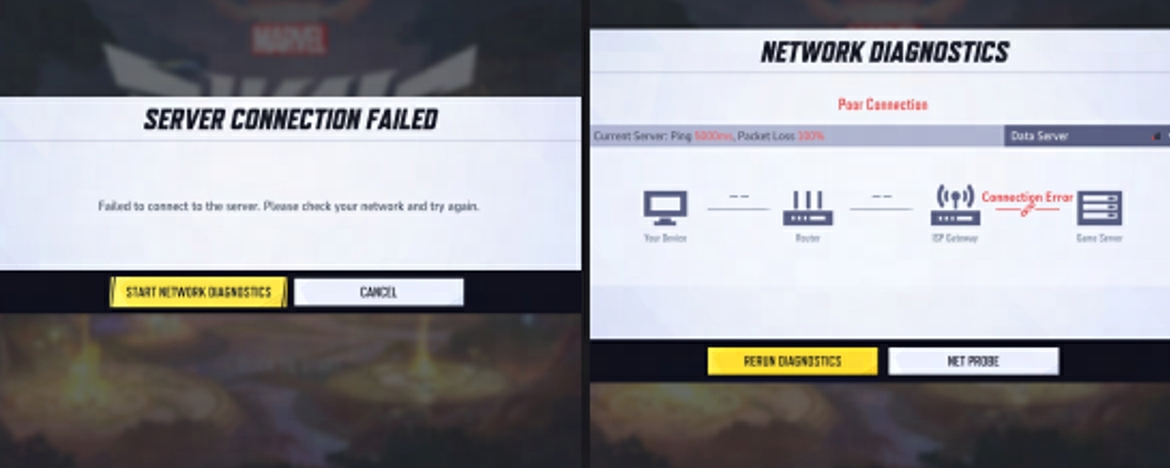
Check for Proxy Settings
Method 1
Check proxy settings on Windows:
1. Search for "Proxy settings" in the search bar
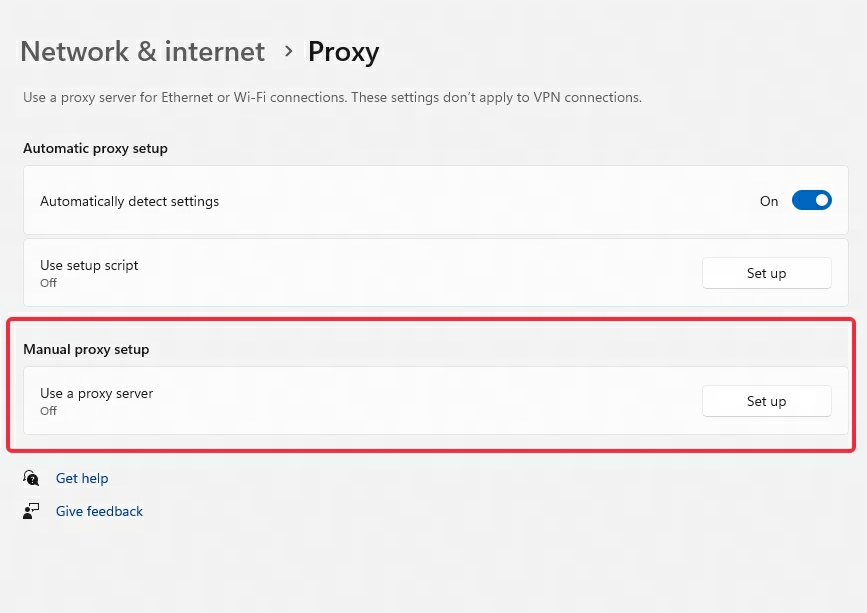
2. Ensure "Use a proxy server" is turned off (as shown in the proxy settings interface)
Method 2
1. Search for "Command Prompt" in the Start menu → Right-click and select "Run as administrator"
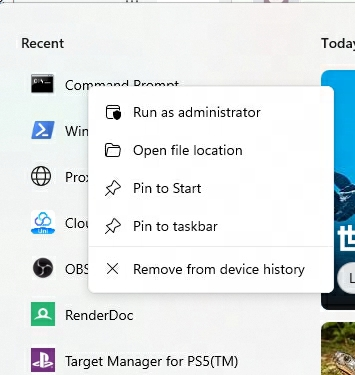
2. Execute the command:
netsh winhttp show proxy
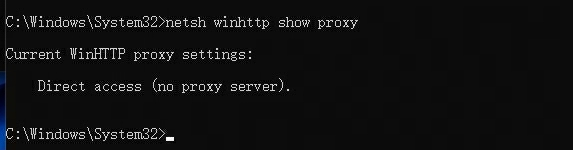
3. If the result shows "Direct access (no proxy server)" (as in the command-line screenshot), no proxy is active
4. If a proxy is detected, execute:
netsh winhttp reset proxy
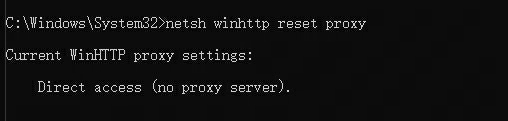
5. After seeing the reset confirmation, restart your computer and attempt to log in
If login issues persist, contact technical support.